
Desk booking and allocation
Simple desk booking
for hybrid teams
Let employees find and book a desk from an interactive floor plan, from any browser, with no hardware installed at the desk. Finally know who is actually coming in, instead of guessing from badge swipes.
Workplaces running on RoomNXT










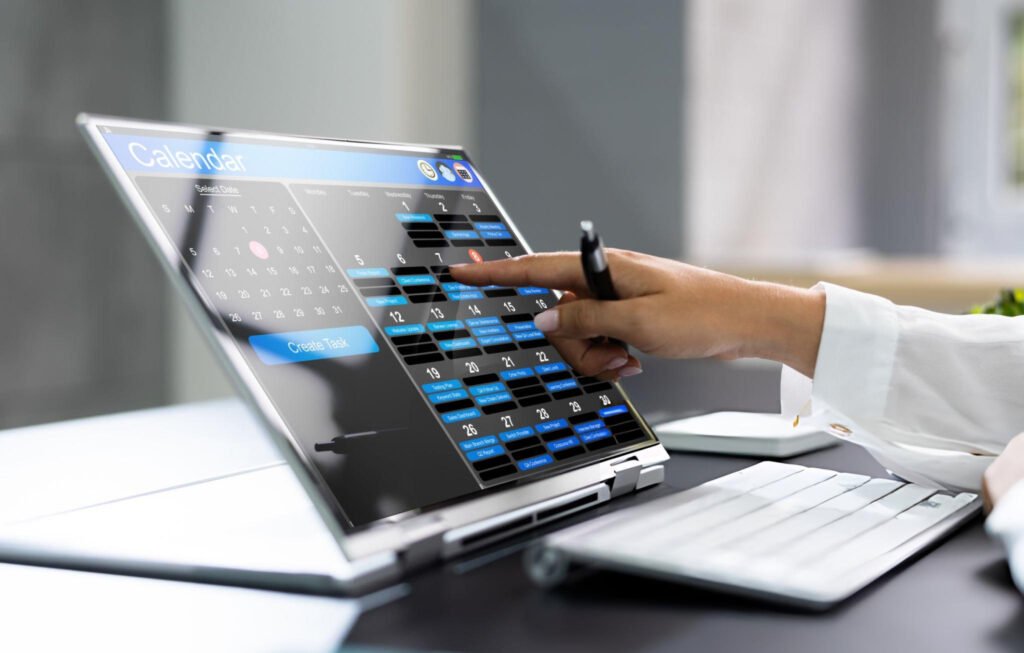
Hybrid work broke the simple idea of a desk
Half the floor sits empty on a Tuesday and is overcrowded on a Thursday. Nobody can tell in advance whether their teammates are coming in, so people show up and end up scattered across the floor instead of sitting together. Facilities is paying for space based on headcount, not on who is actually using it.
RoomNXT gives employees a real floor plan to book from before they leave home, and gives facilities real booking data instead of a guess based on badge swipes or Wi-Fi logs.
How it works
01
Check the floor plan before you commute
See which desks are free, and which team members already booked in, from your phone or laptop before you leave home
02
Book your desk, or your team's zone
Pick an individual desk from an interactive floor plan, or book into the neighborhood your team usually sits in, so people land near their teammates instead of scattered across the floor.
03
Show up and it is already yours
No scrambling for a seat, no sticky note system, the desk is reserved exactly as booked.
04
Facilities sees real utilization
Reports show actual bookings and actual usage by floor, zone or team, so space decisions are based on real data instead of headcount assumptions.
Everything in the desk booking module
Booking and floor plans
On-demand booking
Employees pick a desk of their choice, on the day or in advance, with full flexibility.
Permanent allotment
Allocate permanent desks to onsite employees, key employees or executives, removed from the general booking pool.
Interactive floor plans
Book from a visual floor plan instead of guessing where to sit, so navigation is intuitive from day one.
Upload custom floor plans
Upload your own floor plan images per floor and building, mapping real desks onto your actual office layout.
Desks, workstations and cabins
Create and manage desks, workstations and cabins as distinct bookable resource types.
Teams and policies
Neighborhoods and zones
Define specific areas for different teams or groups, so they sit together to work and collaborate.
Group, team or department policy
Set booking rules by group, team or department, instead of one blanket policy for the whole company.
Approval workflow
Route requests for restricted neighborhoods or special desks to a designated approver automatically.
Manage employee visits
Control which employees are expected in the office on which days, and enforce hybrid attendance policies.
Under maintenance flag
Under maintenance flag Flag a desk as under maintenance so it drops out of the booking pool until it is flagged available again.
Finding the right desk
See who is coming in
View who else has booked in before you commit to a day in office, so teams can plan to sit together.
Define amenities
Tag each desk with the amenities it offers, so employees can pick a desk that fits the task at hand.
Filter by amenities
Filter available desks by required amenities, finding the right one quickly instead of checking each one manually.
No mandatory app
Book from any browser, on a laptop or a phone, with nothing to install.
Admin, IT and reporting
Active Directory integration
One login across desk booking, meeting rooms, visitors and parking, synced with the directory your IT team already manages.
OTP verification
Secure verification for employees booking from outside the corporate network.
Multi-location support
One system and one report across every office, instead of a different tool per site.
Utilization reporting
See real occupancy against booked capacity, by floor, zone or team, including available desks and groupwise booking reports.
On premises. On your own cloud. On SaaS. Same software, same features, your choice.
Frequently asked questions
No. RoomNXT desk booking is software, employees book from any browser without any sensor or device installed at the desk.
Yes. RoomNXT desk booking is available on premises, on your own cloud, or as SaaS, on the same software.
Yes. Set booking limits per user, per team or per number of days a week, and enforce them automatically.
No. Employees can book from any browser, with no app installation required.
Booking and utilization data by floor, zone and team, including available desks and groupwise booking reports, so space planning is based on real numbers.
Yes. The floor plan shows who has booked in and where, so teams can plan to sit together.
Yes. Book an entire team zone or neighborhood, in addition to individual desk booking.
Yes. While most employees use on-demand booking, you can allocate permanent desks to specific individuals, ideal for executives or roles that need a fixed workspace.
Yes. Upload custom floor plan images for each floor and building, and map individual desks onto your real office layout.
Yes. One login and one report cover every location.
Ready to see it in action?